

|
|

Permits
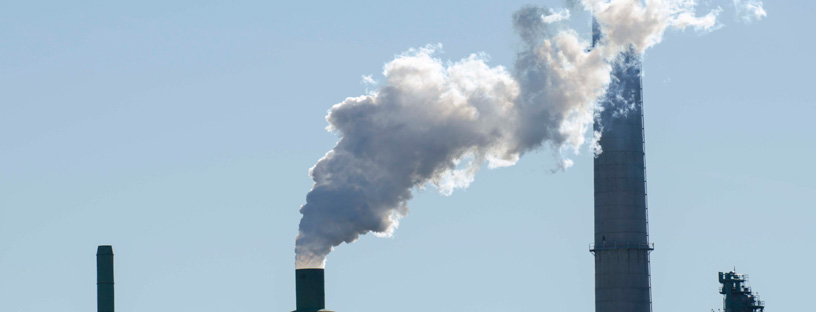
Learn about the Air District’s permitting, registration, asbestos, open burn and other programs requiring either fees or notifications.
General Information
With the lifting of the Bay Area's emergency Shelter-in-Place Order, the Air District is transitioning to a regular service environment.
* Please continue to hold off on visiting our office unless you have made prior arrangements.
Read our full instructions for handling Permit business.
The Air District is updating its policies/procedures. Please join us at a technical webinar on Monday, March 7, 2022, to learn more about these updates. To learn more, visit the Workshops web page or contact us at the email address below.
The Air District is responsible for the issuance of air quality permits for stationary equipment in the Bay Area and the management of the resulting air emissions (pollutants). Nearly all stationary equipment that emits to the atmosphere requires an Air District permit. An air quality permit is a document that gives the permit holder authorization to build equipment and/or to operate that equipment. Each project is evaluated before a business can build and operate their equipment to ensure that all air quality requirements are met.
The program also manages an air emissions inventory from all permitted equipment. The inventory is used to track the level of air emissions and to make future decisions to reduce those emissions by tightening Air District rules.
Permitting and Approval Programs
Here are common permit and approval documents that the Air District issues:
Authority to Construct (A/C) - This is a pre-construction permit that is issued before equipment is installed. An A/C may require the permit holder to meet certain conditions before operation can begin.
Permit to Operate (P/O) - This permit allows the holder to operate (use) all equipment or activities listed on the permit.
Certificate of Registration - This type of permit is given to specific types of equipment or activities that are smaller in nature.
Certificate of Exemption - Upon request, this type of document is issued if the specific type of equipment or activity does not require an Air District permit.
Approval Letter for Asbestos for Demolition/Renovation, “Job Number” - A letter of approval that will include a Job Number (J#) is issued as proof of notification.
Approval Letter for Naturally Occurring Asbestos Activity - A letter of approval is issued after your asbestos dust mitigation plan (ADMP) is approved.
Certificate for Emission Reduction Credits (ERCs) - This certificate allow companies to use or sell “banked” emissions when emissions from other projects must be offset.
Major Facility Review (Title V) Permit - This is a federal operating permit that is issued to facilities that have the ability to produce large amounts of air pollutants.
Register Equipment
Owners of the following types of equipment may be eligible to apply for a renewable registration certificate instead of a permit (registration fees vary, depending on equipment type):
- Agricultural diesel engines
- Portable equipment
- Boilers, steam generators, and process heaters
- Commercial cooking equipment
- Dry cleaning equipment
- Graphic arts operations
- Mobile refinishing operations
Notification and Fee Programs
The following activities require notification and payment of fees prior to starting any work.
Open Burn Authorization or Allocation - This notification is required for allowable fire types prior to starting any burning.
Notification Only Programs
The following activities require notification only prior to starting any work:
Soil Excavation Notification - This notification must be postmarked/submitted at least 5 days prior to excavation of soil contaminated with organic compounds.
Underground Storage Tank (UST) Removal Notification - This notification must be postmarked/submitted at least 5 days prior to the removal or replacement of a UST that contained organic compounds.
Last Updated: 11/18/2016